 Documentation
IPv6 Instances
IPv6 networking for virtual machines can be configured in two supported deployment modes. An instance can be created either as a dual-stack VM with both private IPv4 and public IPv6 connectivity, or as an IPv6-only VM.
In case of issues related to IPv6 connectivity or instance accessibility, refer to the IPv6 Troubleshooting documentation.
Dual-stack Virtual Machine (IPv4 + IPv6)
To enable both IPv4 and IPv6 connectivity, select first the internal IPv4 network internal-ipv4-general-private and then add second network port using external-ipv6-general-public network in the Networks section when launching a new instance.
Example
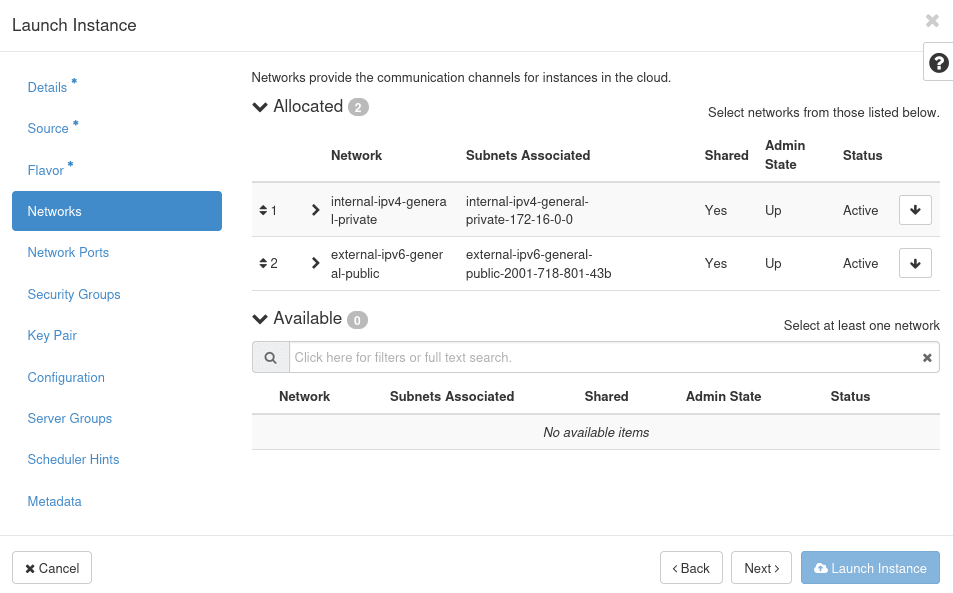
In this configuration, an IPv4 floating IP can also be associated with the instance if public IPv4 access is required.
IPv6-only Virtual Machine
To create an IPv6-only virtual machine, select only the external-ipv6-general-public network in the Networks section when launching a new instance.
Example
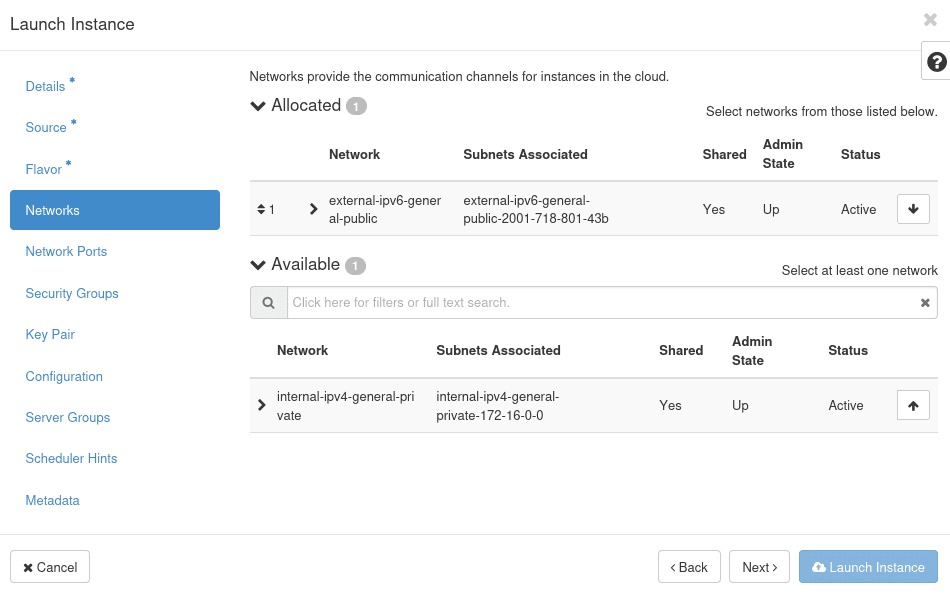
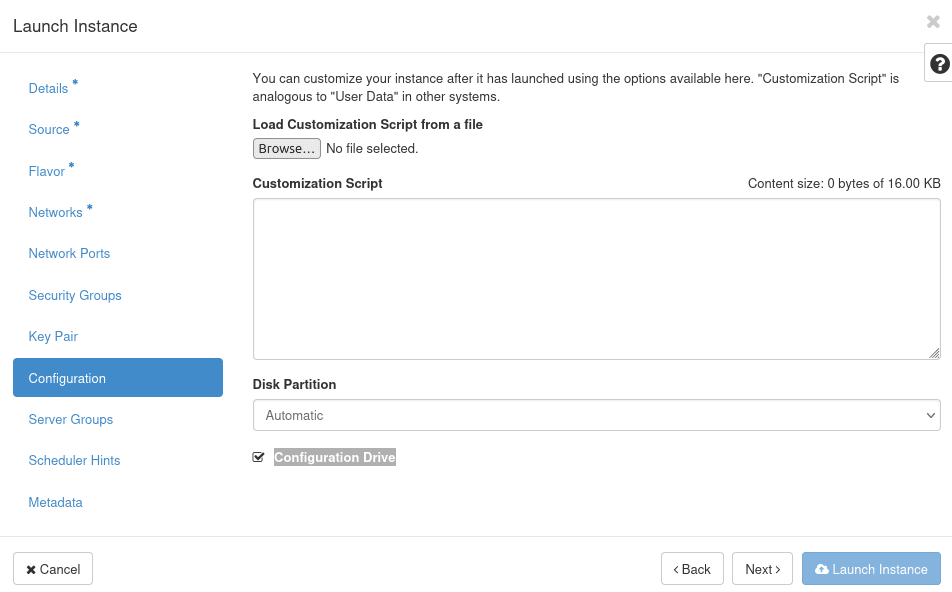
To ensure metadata is available to the instance, you have to enable Configuration Drive in the Configuration section. Not enabling Configuration Drive result in VM server unavailability as network configuration is not applied over ipv6 stack.
Example
Last updated on