 Documentation
IaaS CloudHow-to guides
Changing VM Resources
Prerequisites
- Created instance.
Resizing Image
In this guide, we will show you how to change the VM resources by changing flavor (G2-Brno, G2-Ostrava).
Before resizing, you should save all your unsaved work and you should also consider making data backup.
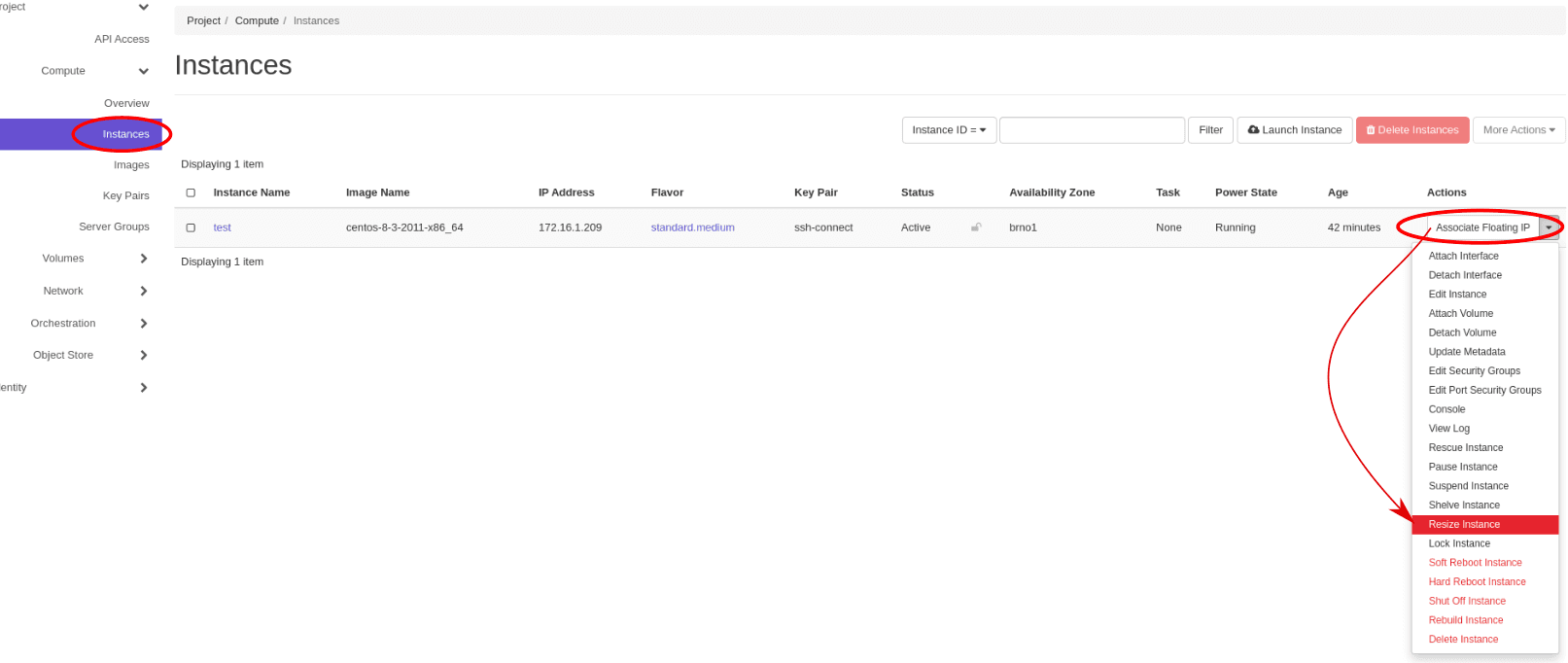
1. In Horizon go to Project > Compute > Instances and select Resize Instance on your instance
Example
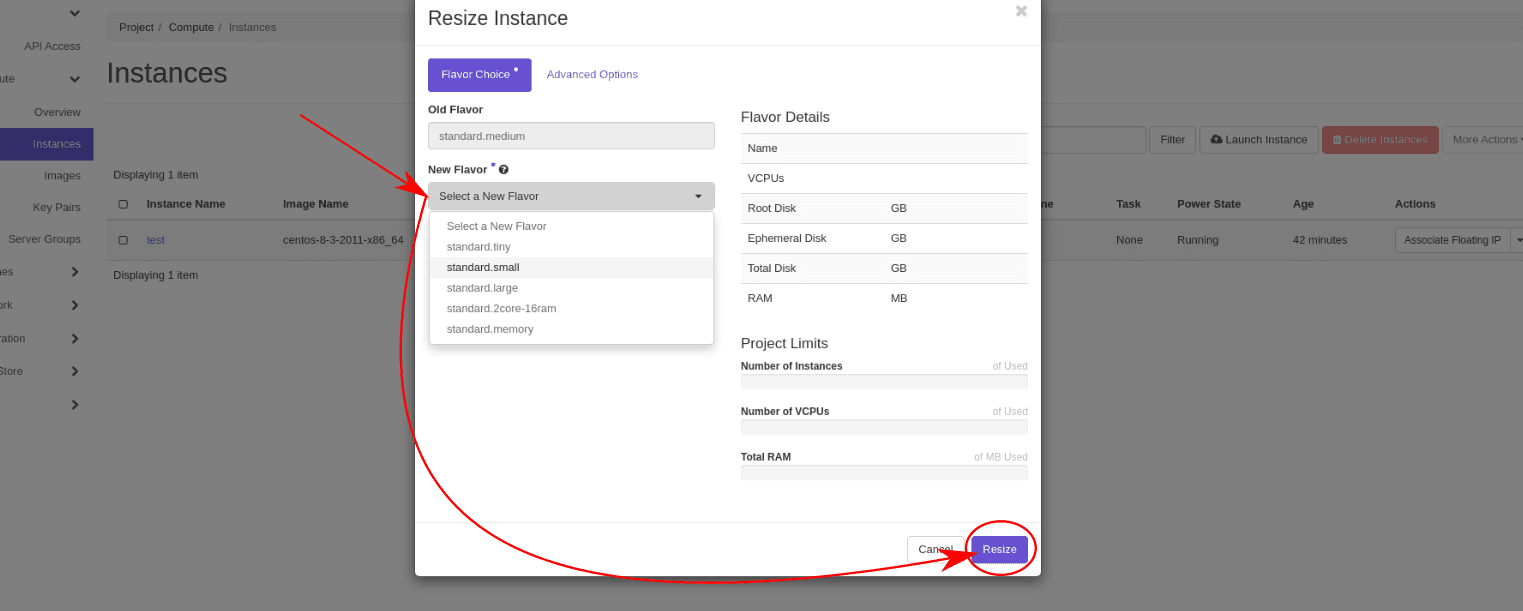
2. Select new flavor and confirm your choice
Example
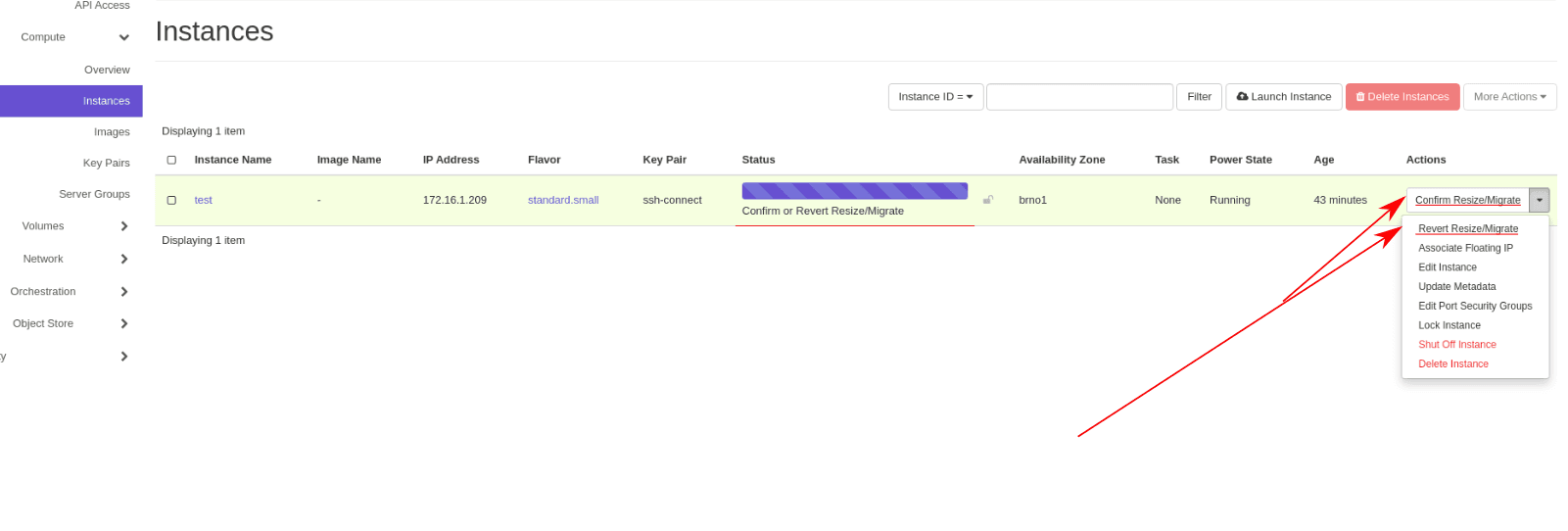
3. Confirm selected changes in the instance menu
Example
Last updated on